Increase font Decrease font

Revised Tips & Pointers

For those of you who are interested in the tips etc. I have been writing, I have begun the process of both adding new materials and sorting my lists of articles into more useful (I hope) groupings.  You can see everything as it evolves here or you may directly access my newly sorted areas from the lists below:

Search Tricks & Tips:

German Genealogy Pointers:

Quebec Genealogy Pointers:

Where & how to search the Internet

This small post is largely borrowed from Southern Oregon University.  Hopefully the pointers and links are useful reminders of where and how to search the web for information. I know that at my age, I need all the help remembering things that I can get! So here’s the list…Genealogy-Ideas

How to Search the Internet

  1. Finding Information on the Internet: A Tutorial
  2. BARE BONES 101: A Web Search Tutorial
  3. Web Search Tutorial by Pandia
  4. Web Search from About.com
  5. Best Search Tools Chart
  6. Graduated Search Strategy
  7. How to Choose a Search Engine
  8. Tips for Effective Internet Searching
  9. Evaluating Web Resources
  10. Choose the Best Search Tool
  11. Search Engine Showdown
  12. Search Engine Watch

Search Tools

  1. Google Advanced Search
  2. Yahoo! Advanced Search
  3. Ask Advanced Search
  4. All the Web Advanced Search
  5. Bing Advanced Search
  6. Exalead
  7. Hakia
  8. Alta Vista Advanced Search
  9. Gigablast Advanced Search
  10. Lycos
  11. Quintura
  12. Snap

Metasearch Tools

  1. Ixquick Metasearch
  2. Dogpile
  3. AllPlus
  4. Surfwax
  5. Yippy
  6. Mamma
  7. Metacca
  8. Beaucoup
  9. Metacrawler
  10. Search.com
  11. Findelio
  12. Info.com

Lists excerpted from Southern Oregon Univ. Library

Evolution of Germany from 1867

The territorial evolution of Germany from 1867 to today. This video is in German although hopefully the graphics will be understandable to those who speak no German.

Die Geschichte des deutschen Staates seit 1867 – staatliche und territoriale Entwicklung. Didaktikvideo zur staatlichen und territorialen Entwicklung der Bundesrepublik Deutschland.

Image Search “Google Tricks”

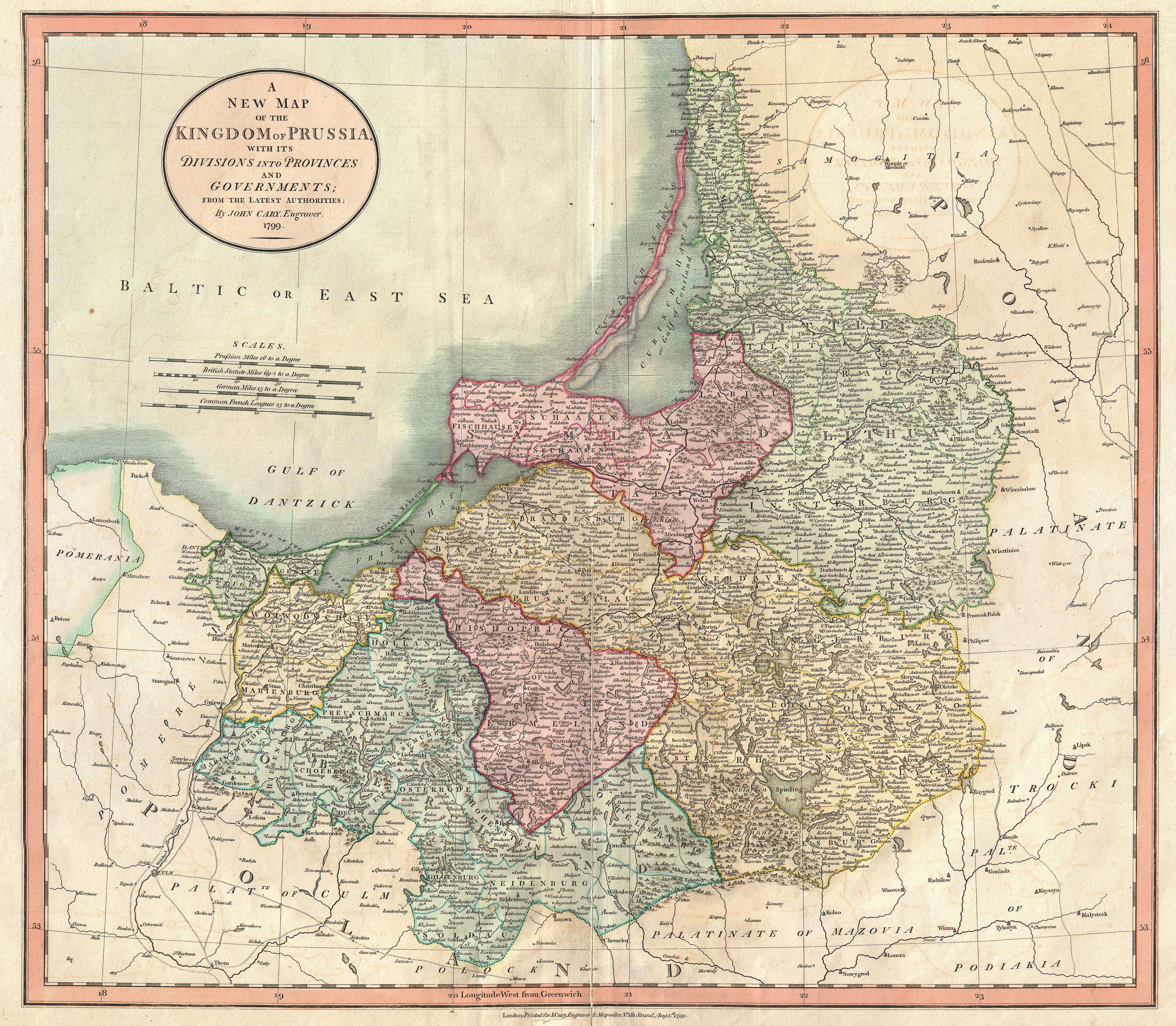
So you search for images as well, you say. I know I do. I find the search for images to be something of an obsession for me. I especially value those photos I am able to find that are of the German Expulsion or the area around Elbing in the former West Prussia, where my mother grew up.

In keeping with my earlier article on Google Search Tips, I thought folks might appreciate some hints on Google search tricks for images. So here are a few.

Firstly, it is important to note that the syntax for image searches is really not very different from the syntax for any other type of search. What follows is a rather complex search string for an image of “Preussen” or (Prussia in German).

preussen site:commons.wikimedia.org “in the public domain” “jpg – Wikimedia” OR “jpeg – Wikimedia” OR “png – Wikimedia” (You might want to try this out on Google.)

Other options and syntax that we could have added to our search string include:

  • searches for image filetypes e.g.; elbing filetype:png or jpeg|jpg|gif|…
  • searches for images of a desired size we could add &imgsz=small or to get a different size use any of the following terms instead of small – medium|large|xlarge|xxlarge|huge
  • if we only wanted a sketch or human image we could have added to our search string &imgtype=face|lineart (where face would yield a person and lineart a sketch/ drawing)
  • and should we have been concerned about the copyright we could have added &as_rights=cc_publicdomain other options available include cc_attribute|cc_noncommercial|cc_nonderived (where cc is a creative commons license)

As you might imagine the variations are essentially limitless. Hopefully you will try a few of these variations and see how the searches result in different images. The bottom line is that this should help you see fewer but more valuable images. Good hunting!

ManyRoads Update- May 2011

As you may have noticed May 2011 was quite a busy month on ManyRoads.  It was the first month we experienced more than 10,000 unique visits.  I always am amazed at how the traffic ebbs and flows. Per normal our most active countries are the US and Germany; I wonder why? hmmmm.

Other notes:

  • A couple of days ago, I published a posting on getting Free online backup space from Wuala.  The post has been very popular and it looks like there are a number of folks taking advantage of the Free service and are now backing up their data.  AND, that is a good thing! If you haven’t read this already, the article and coupons may be accessed here.
  • This past month we accepted our Ancestor Approved Award.  It is nice getting the recognition. See our announcement.
  • We published an article on Google Search Tips.  It was not very controversial; I think that’s good.
  • We also published an article that one of our readers tip us on to… Mocavo a Genealogy Search Engine.  If you haven’t had a chance to see what Mocavo is all about you might want to read our post and then visit their site.
  • During May we experienced a bit of down-time due to site caching problems; I think those are now fixed.  Please let me know if you are experiencing any difficulties with site access or speed.

As always, thank you for visiting ManyRoads and please remember we always appreciate reciprocal web site links!

Genealogy Tips- Backup! Whoa, it’s Free?!?

It is hard enough finding genealogy information and losing it has always seemed like a bad idea to me. I am writing this post today in hopes of helping you save your genealogy data… and just perhaps, just perhaps, you will take advantage of this risk-free, cost-free suggestion and back things up before you lose them! (Did you notice the shameless, shy-less, cheap plug in that paragraph?)

About two months ago, I wrote a posting entitled Whoa, Backup! In that posting, I discussed backups in a general or generic sense- I attempted to provide some insight into the benefits and wisdom, etc. of backups.  So I won’t repeat that material, you may follow this link to read what was said then: Whoa, Backup!

This update posting will hopefully give, those of you who decide to follow my recommendations, a bunch of free online storage.  How much will depend on your specific situation but it could be as much as 100GB.  Wuala is an online backup service by LaCie. Their desktop app works on Windows, Mac, and Linux (I’m running it on Ubuntu Linux).

You should note that your encrypted (encoded) data is distributed across numerous servers around the world. To quote the Wuala site:

Wuala protects your privacy.

All files are directly encrypted on your desktop. Your password never leaves your computer. Not even we as the provider can access your files or your password.

Wuala provides bank-level security.

Wuala employs proven encryption technology (AES, RSA and SHA) to secure your data.

Wuala stores your files in multiple places.

To keep your data safe, your files are stored redundantly in many different locations. Our servers are based in Switzerland, Germany and France.

Wuala is based on unique technology.

Our technology has been developed and researched at the ETH Zurich, the Swiss Federal Institute of Technology.

Your password and security keys are stored locally on your computer only, not even the folks at Wuala have access to them. I am personally very satisfied with Wuala’s security measures, but perhaps others are not. You may read more on Wuala here.

By default you get 1GB of free storage when you sign up; if you find someone to give you their referral code you can get an extra 1GB at sign up for a total of 2GB. Plus if you use this link, I’ll get 250MB of free storage added to my account.

Once you have installed the Wuala software on your PC, you may enter the following codes to get 16GB of free additional storage (these are coupon codes, -not- referral codes):

Codes

I-KNOW-CAROLA (1GB)
I-KNOW-DOMINIK (1GB)
I-KNOW-FABIUS (1GB)
I-KNOW-LUZIUS (1GB)
I-KNOW-MARCEL (1GB)
I-KNOW-DARIO (1GB)
I-KNOW-THOMAS (1GB)
I-KNOW-JONAS (1GB)
I-KNOW-MARIUS (1GB)
CONNECT-WITH-SUPPORT (1GB)
PC-MAGAZIN (2GB)
PCWELT06 (3GB)
SKYFISH-IS-COOL (1GB)

(Please let me know if any of the codes fail so I may remove them.  Also please let me know if you find any new ones and I’ll place them here.)

Also, you can get up to another 3GB of free storage by referring 12 friends (you will receive 250MB per referral). If you total all that up, you have a potential of 19GB of free and secure (my opinion) backup space.

Beyond that, you can elect to trade your on-line hard drive space to the Wuala cloud (I do not do that because of my slow DSL connection.). Whatever amount you trade you will receive an equivalent amount in on-line storage (up to 100GB). This calculation, however, is based on your computer’s on-line time. So it is unlikely that you will get all of that space but rather a lesser percentage. Ultimately, if you use all the above codes, and trade your ‘on-line space’ you have the possibility of achieving 119GB backup space for free.

If you might want to sign-up for the Wuala service, please use this link. If you sign-up for a free account using this link, I will get an additional 512MB of disk space added to my allotment.

%d bloggers like this: